Claude Code, Codex, Cursor, Warp — across every project, before the work is
worth a ticket. Items file under the current project automatically, so one
list stays readable even when three projects and a dozen terminals feed it.
Local-first, self-hostable, no SaaS account.
Configures Claude Code, Codex, Cursor and Windsurf — whichever it finds. Node 18 or newer, and no account.
3.1
New: digests. Ask your agent for a digest and the dashboard's home page shows
what needs you, what shipped and what is stuck across your merge requests, pull requests, issues,
tickets and notes — with what changed since last time, who does each next step, and a number you
can hand to any agent. See it ↓ · From 3.0 it is a drop-in upgrade; coming
from 2.x, read Breaking / migration first.
The problem it solves
One list, many projects
Every item is filed under the project it was captured in — resolved from the git remote, so the same repo on your laptop and your desktop is one project, not two. The dashboard switches between them; agents see only the one they're standing in. It starts itself the moment your MCP client first uses the server.
~/work/backend
claude-code, codex
~/side/tracker
claude-code
~/side/notes
codex, warp
→
Docket
one list, three scopes
→
acme/backend
what this agent sees
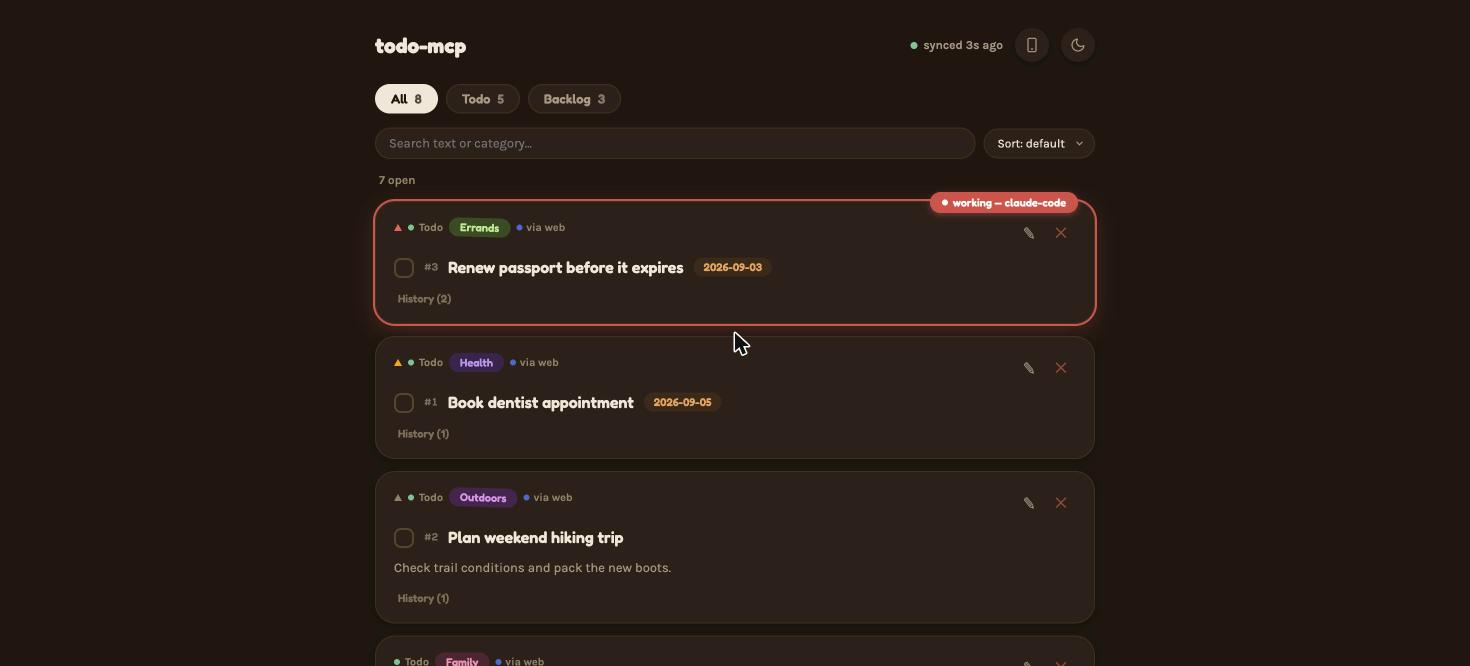
The list, scoped to a project. The claimed item is the one an agent is working on right now.
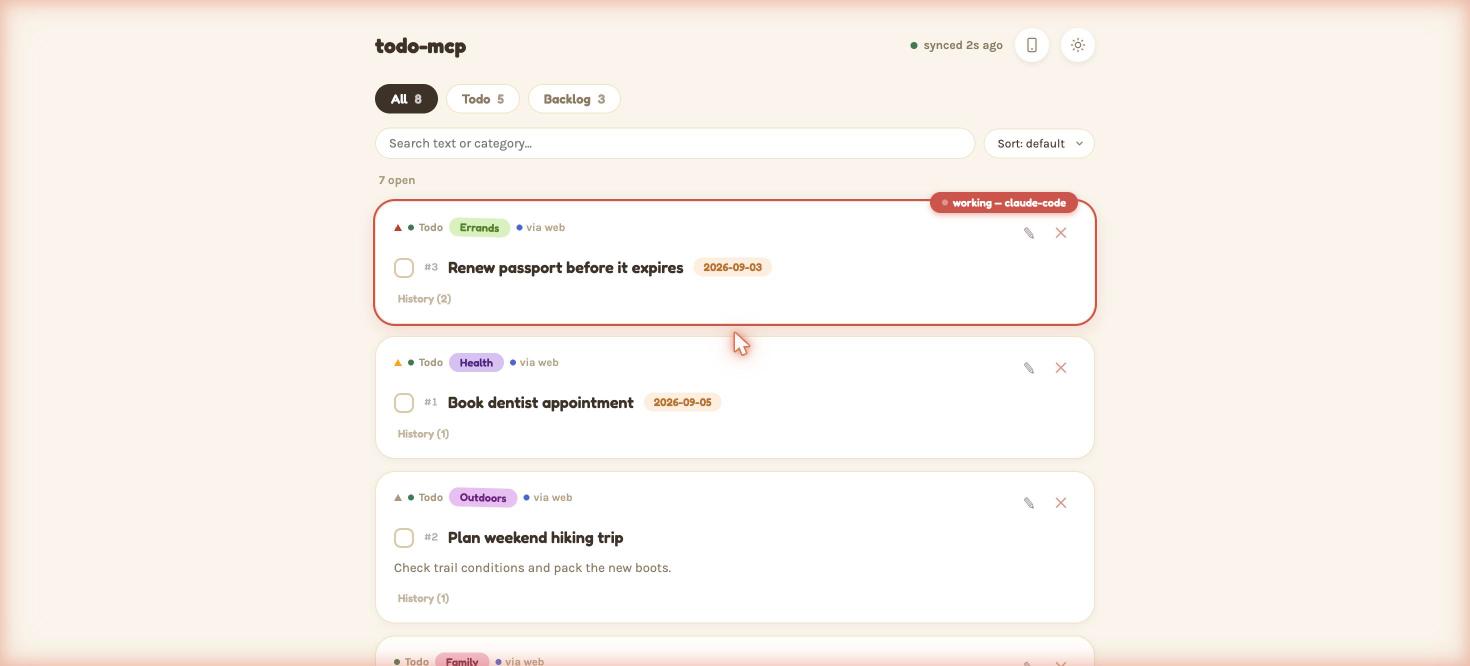
The same list, light theme. It follows your system setting.
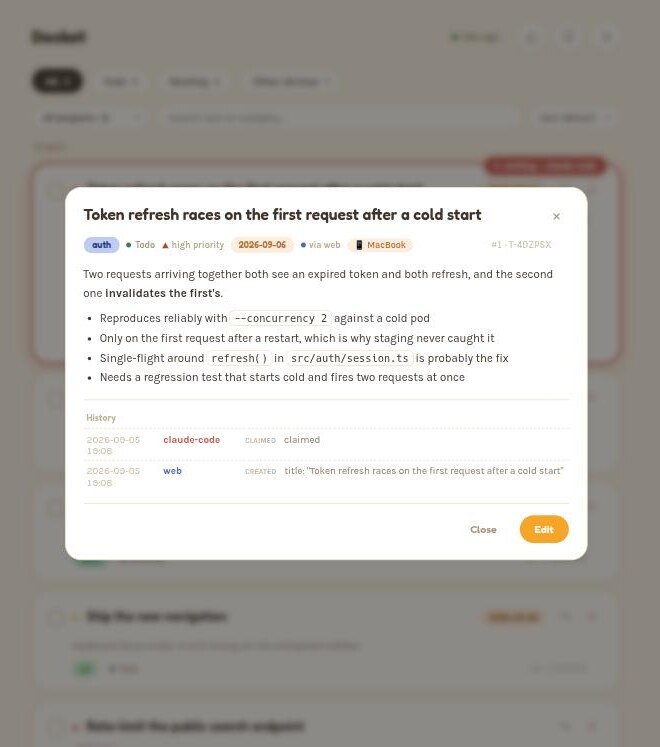
One item opened: Markdown rendered, and a history of who did what — including which agent claimed it.
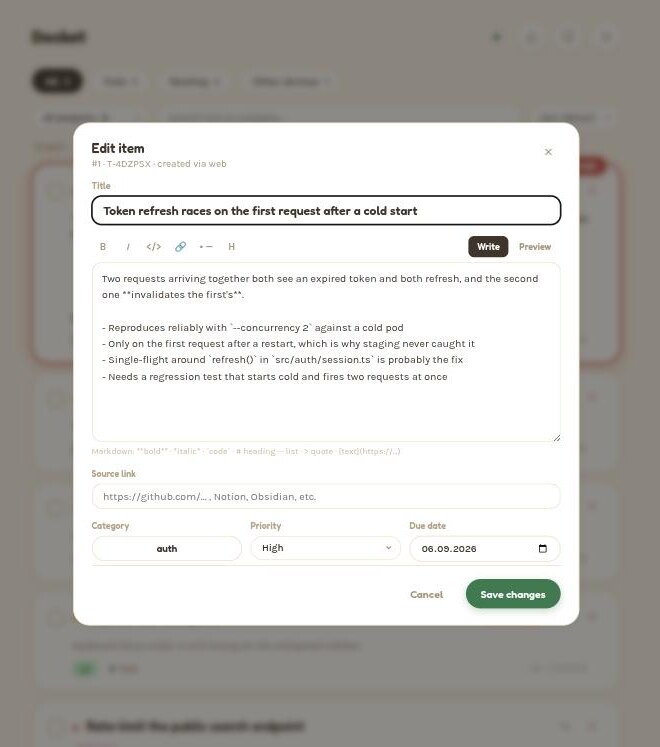
Editing, with Write/Preview — descriptions are Markdown everywhere, including from agents.
New in 3.1
A digest of your work, on the home page
Say make a digest to your agent. It reads your GitLab merge requests, GitHub pull requests and issues, Notion or Jira tickets, notes and mail — read-only, with the logins it already has — checks every status at the source, and publishes. Docket never holds those credentials; it keeps what the agent wrote and shows it here.
One minute, one take: a digest made in Claude Code, the dashboard by area and by person, a task closed with a reason, and Codex and Claude each taking an item by its number — both visible on the list as they work.
Hand it off by number
Tell any agent take 7. It gets the full brief and a task claimed in its name, so everyone sees who is on it — and when it is done it closes the task with the reason.
Seen means seen
Mark an item seen and it stays out of the way until its status changes — an open MR you dismissed comes back the moment it merges. Marks sync across devices.
Yours to configure
Sources, groups, people, presets (digest work, digest week), environment checks and a daily run live in your own config — and the skill learns what you keep correcting.
Why not just a text file
What it adds beyond "just a list"
Built for one person running more than one AI tool, in more than one project, at once.
Scoped to your project
Items file themselves under the project they were captured in. An agent in one repo never pulls two other projects' items into its context.
See what's open, on arrival
An optional Claude Code SessionStart hook injects what's open in this project — at most 7 items, under 120 tokens, nothing when there's nothing — plus one line about your latest digest. It fails open: if docket is down, your session is unaffected.
Bridges, not replaces
Set sourceUrl and an item carries a link straight back to the GitLab issue, Notion page or Obsidian note it belongs to. Work lands here first, then graduates.
Private by default
The store is AES-256-GCM encrypted on disk. Nothing leaves your machine unless you pair it with a server you run — there is no account, and no telemetry.
Local or self-hosted
Keep everything on this machine, or run one always-on Docket Server (Raspberry Pi, NAS, VPS) and pair every device to it. See how ↓
Your data stays yours
One command writes an encrypted, portable backup of the whole workspace — identity, keys and all — and one restores it on another machine. Plain docket export gives you JSON or Markdown.
Where the data lives
Two ways to run it
Local Mode is the default and needs nothing below. Self-hosted Mode is opt-in, for an always-on machine you control.
Local Mode — every client talks to one process on this machine
Claude Code
Cursor / Windsurf
Warp / Codex
→
Docket
MCP tools
→
Encrypted store
on your machine
←
Web dashboard
:8787
Your phone
same Wi-Fi
Self-hosted Mode — every device forwards to one authoritative server
Laptop
Desktop
Phone (Web UI)
→
Docket Server
docket serve
→
Authoritative store
your Pi / NAS / VPS
Local Mode
Self-hosted Mode
Setup
Nothing — it is the default
One always-on machine, plus a pairing step per device
Where the data is
Encrypted on this machine
Encrypted on your server; devices keep no writable copy
Available when the laptop is off
No
Yes
Claims
Advisory — can be taken over
Atomic — a racing claim gets a 409 from one authority
Auth
Nothing to authenticate; it is your machine
Per-device signed requests; no device can call the API until you approve it
Peer-to-peer sync between laptops still works and nothing has been removed, but it is deprecated in 3.0:
two devices that both accept writes can only ever agree eventually, and claims across it can be a pull
interval stale. Self-hosted is the supported multi-machine path.
Getting started
Installation guide
About a minute, no prior MCP experience needed.
1
Run setup
Open a terminal and run:
npx -y @pasichdev/docket setup
It adds docket to every MCP host it finds on this machine and ends by telling you which ones. Only want Claude Code? claude mcp add docket -- npx -y @pasichdev/docket does just that part. Any other host takes the same command — the server speaks plain MCP over stdio.
2
Restart your agent
Close and reopen it, or start a new session, so it picks up the new server.
3
Try it
Ask it something like "add a todo: buy milk". If it uses the tool and confirms, you're set.
4
Open the web UI
Go to http://localhost:8787 — it started itself the moment step 3 ran. The home page shows your latest digest (ask your agent to make a digest); the list itself is at /tasks. Check on it from a terminal any time:
$ docket status
Mode: local
Store: ~/.docket (from the default location)
Web: http://localhost:8787
Workspace: github.com/acme/backend via git-remote at ~/work/backend
Sessions: 2 open
Peers: 0
5
Optional
See what's open when a session starts
Installs a Claude Code SessionStart hook (merged into your existing .claude/settings.json, never overwriting it), plus the field reference skill. The hook runs a command, so it wants docket on your PATH — it works without, pinned to this install, and says so:
Run one Docket Server on a Raspberry Pi, mini PC, NAS, home server, or VPS — every device you pair with it shares the same authoritative workspace, even when your laptop is off. Every transcript below is real output, not a mockup.
1
Start the server
On the always-on machine:
$ npm install -g @pasichdev/docket
$ docket serve --host 0.0.0.0
docket server ready
API:  http://0.0.0.0:8788/api/v1
Data: ~/.docket
Auth: per-device signed requests (RFC §14) — no client can call the API until it's paired.
      Pair a new device from THIS machine with: docket devices pair
Prefer containers? docker compose up -d from the repo brings up the same thing, with a healthcheck and a named volume.
2
Mint a pairing code, on the server
$ docket devices pair
4PYD2F
Expires in 5 minute(s).
Give this code to the device being paired (it runs `docket pair <this server's URL>`), then approve it here:
  docket devices pending
  docket devices approve <requestId>
3
Pair the device
From the client machine. It waits for explicit approval on the server — never silent, and the confirmation code has to match on both ends:
$ docket pair https://docket.home.example
Pairing code (from `docket devices pair` on the server): 4PYD2F
✓ Server reachable
✓ docket server v3.1.0
✓ Protocol compatible

Confirmation code: 096674
Check that the SAME code appears next to this request on the server (docket devices pending) before approving it there.

Waiting for approval...
✓ Device paired
✓ Connection authenticated
✓ Remote workspace ready
4
Check on it, any time
$ docket status
Mode: remote
Server: https://docket.home.example
Status: connected
Latency: 27 ms
Server version: 3.1.0
Device: jane-desktop
Device authorization: active
5
Use Claude/Codex/Cursor exactly like Local Mode
Same MCP config, same tools — only where the data lives changed. The mode is recorded once, centrally, so switching back later takes one command and no config editing:
$ docket backend use https://docket.home.example   # move this device to the server
$ docket backend localize                          # …and bring the workspace back later
A todo list is not important — until it is the only record of what you were doing. Every write goes to
disk atomically and durably, is checked against the exact bytes it read, and refuses rather than guesses
when two processes disagree. 3.0 went through a full release-readiness audit before it shipped; all 27 blockers are closed,
each with a regression test verified to fail against the code it replaced. 3.1 adds digests without touching the store format.